![flat-icon-web-alt.png]](https://ayuda.tramitapp.com/hs-fs/hubfs/Tramitapp_April2019%20/Images/flat-icon-web-alt.png?height=40&name=flat-icon-web-alt.png)
Create your first draft 📅 and discover everything you can do with it:
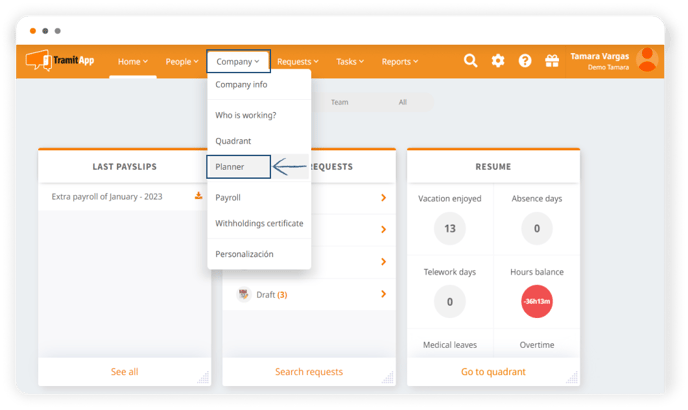
- Go to the "Company" tab in the horizontal menu of the platform and click on "Planner", it will take you directly to creating your first draft.
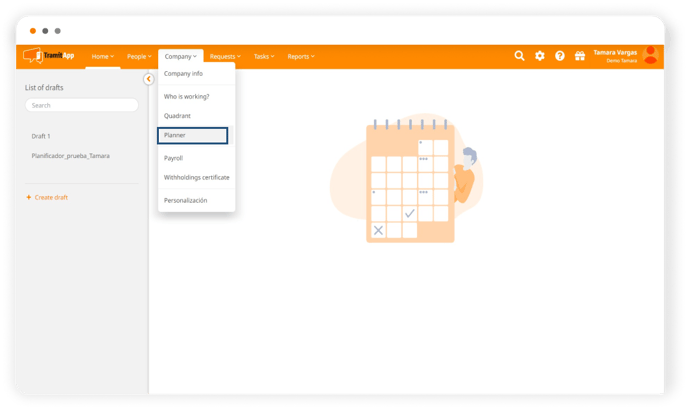
- Once there, click on "Create draft" on the left side of the screen.
- A pop-up window will appear to name your draft. Name it as you see fit and click on "Create draft".
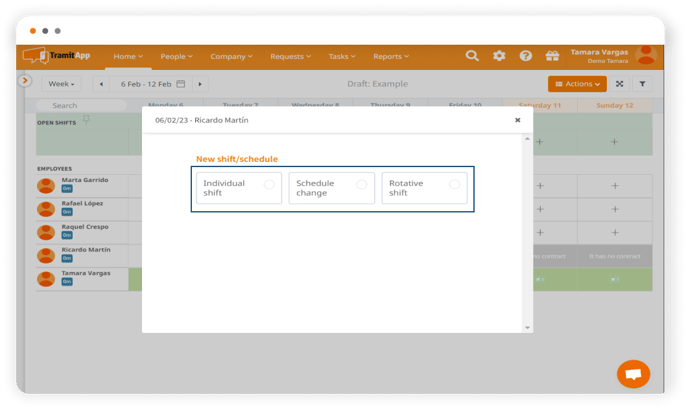
- Next, you will see a schedule grid with your employees listed. To start working on that first draft, you can modify the shifts by clicking on the pencil✏️over each employee and assigning them: a individual shift, a rotating shift, or a schedule change.
- You can also quickly input by needs in this article.
- Or quickly input by employee. In this link we show you how to do it.
Let's see now how to get the most out of the drafts? Continue in the next entries.