![flat-icon-web-alt.png]](https://ayuda.tramitapp.com/hs-fs/hubfs/Tramitapp_April2019%20/Images/flat-icon-web-alt.png?height=40&name=flat-icon-web-alt.png)
How to automatically reassign shifts between coworkers:
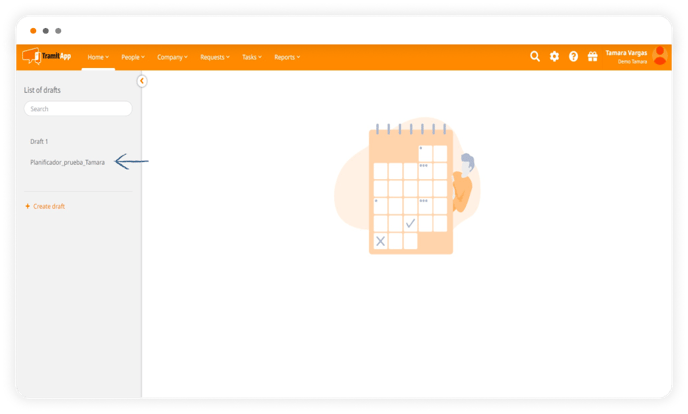
- Go to the draft you're working on in the Company menu, Schedules and select the draft you want on the left.
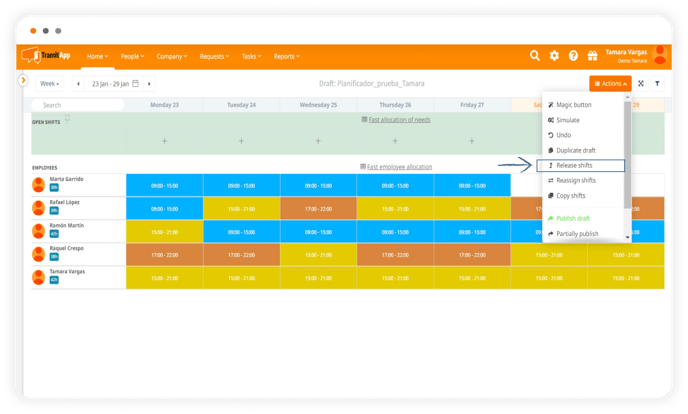
- Once there, click on the Actions button in the top right and select Reassign shifts.
- A screen will appear where you will have to fill in the following information: start and end date of that shift reassignment, the employee you are taking the shift from, and the employee you are assigning it to.
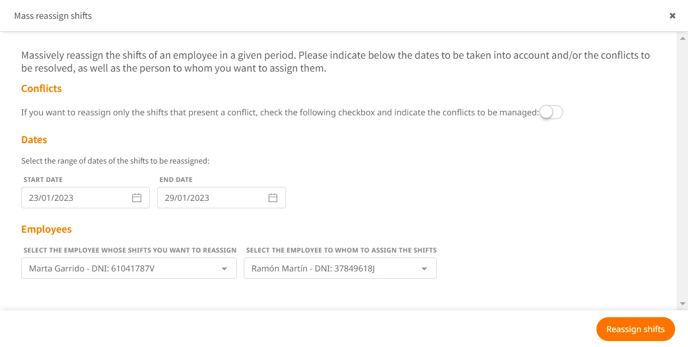
- Press the reassign shifts button, publish new draft, and you're done.